Organization settings
Where the organization-wide settings live, and which limits come from the server rather than a page.
basic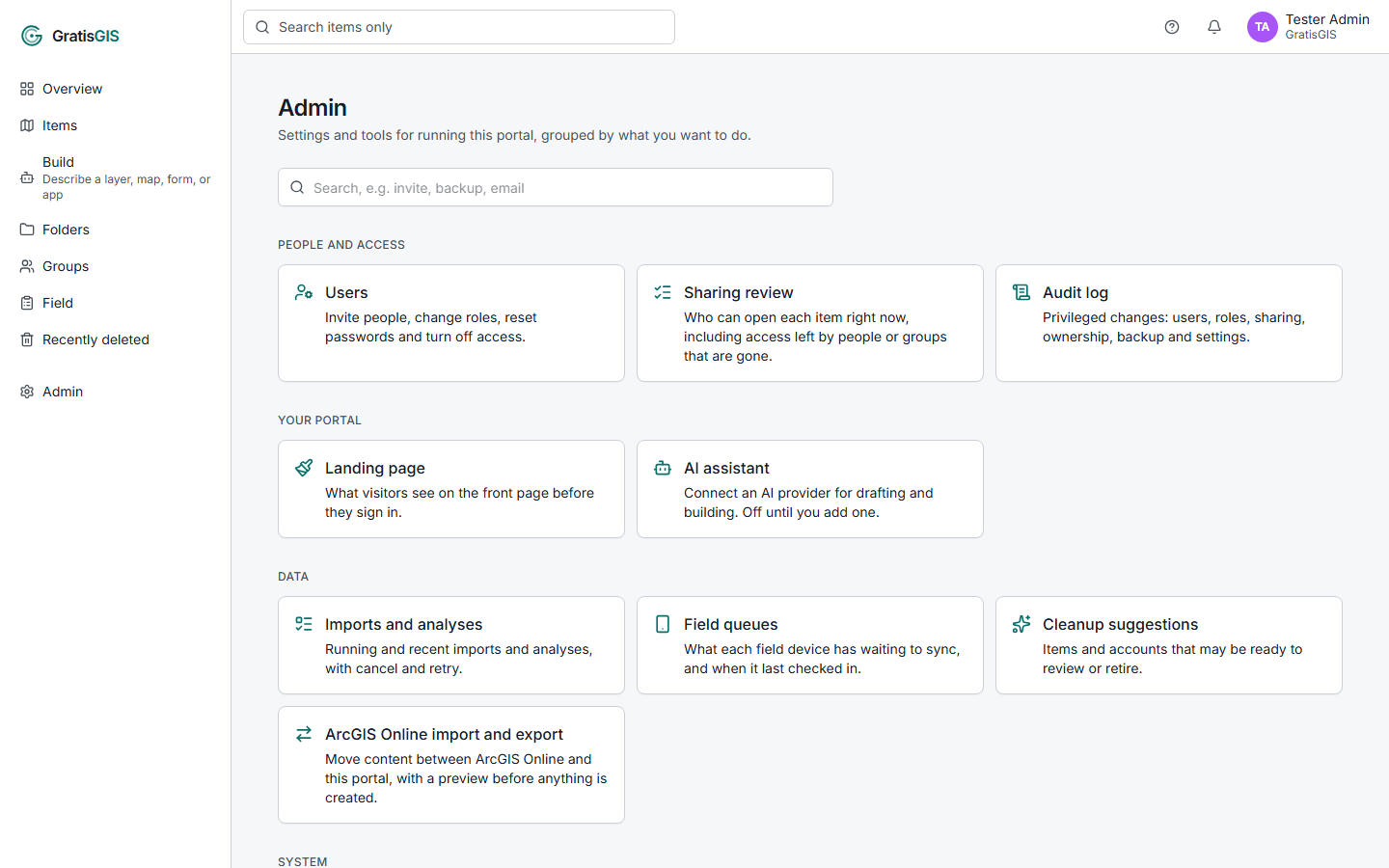
Open Admin in the sidebar. The admin home lists every admin page as a card, grouped by what you want to do, with a search box at the top. Some limits are not pages at all: they are server settings that the person who runs the portal sets.
Settings by group
People and access
- Users: invite people, set roles, disable or delete accounts, and set auto-disable dates.
- Sharing review: who can reach which items right now.
- Audit log: what admins changed.
- Sign-in: add a work account provider people already have, and require an authenticator at the next sign-in.
Your portal
- Landing page: organization name and the public front page.
- AI assistant: optional connection to an AI provider.
- Feedback inbox: what people sent from the portal.
Data
- Imports and analyses, Field queues, Cleanup suggestions (stale content, quiet accounts and scheduled cleanup) and ArcGIS Online import and export.
System
- System health, Backup (schedule, retention and restore), Updates (the running version and what is available), Email delivery (SMTP and the delivery queue) and Support bundle.
Sign-in, Feedback inbox, System health and Backup cover the whole install, so only admins of the organization that runs it see them.
Limits that are server settings
These are environment variables on the server, not portal pages:
- Email on or off. Email is sent only when
NOTIFICATIONS_ENABLED=true, even with SMTP saved. - Session length. The portal sign-in cookie lasts 365 days by default (
GRATIS_SESSION_MAX_AGE_SECONDS), with an optional idle limit (GRATIS_SESSION_IDLE_SECONDS). Keycloak's own web session ends after 1 hour idle or 10 hours in total. - Retention. The recycle bin keeps items 30 days (
RECYCLE_BIN_RETENTION_DAYS) and the admin audit log 400 days (GRATIS_ADMIN_AUDIT_RETENTION_DAYS).
What does not exist
There is no storage budget or storage alert, no per-user item quota, no allowed file type list, and no history of setting changes beyond the admin audit log. Watch disk use on Admin -> Cleanup suggestions.